
Channels · WhatsApp
Meet students on WhatsApp, straight from your ads.
Fast, familiar and personal — on the app your students already use every day.
Use WhatsApp two ways: connect it to your Meta ads, or make it your instant follow-up channel for every new enquiry. Either way, Herbot starts a course-aware conversation within seconds, answers questions from your course catalogue and books students in with your team — around the clock.
Use one channel or all four.
Switch on the channels that suit your students. Every package works on every channel, and you can add or remove channels any time.
From ad to the right course
Your WhatsApp ads, connected to your course catalogue
Every Click-to-WhatsApp ad becomes a conversation that already knows what the student is interested in. No forms to fill in, no generic replies.
A student taps your ad
Your Click-to-WhatsApp ad on Facebook or Instagram opens a chat with your business.
Herbot reads the ad
He picks up which campaign and ad the student came from, so there's no guesswork.
Matches it to your catalogue
The ad is linked to the right course or course area in your catalogue, so the first reply is already on topic.
Answers, captures and books
Answers come only from your course content. The lead and booking go straight to your CRM.
Running broad brand or category ads? With Match + Qualify, Herbot asks about the student's goals and narrows in on the right course from your catalogue.
Instant outreach
Make WhatsApp your first touch after every enquiry
Not every enquiry starts on WhatsApp. When a student fills in your website form or a lead form with their mobile number, you can set WhatsApp as Herbot's instant engagement channel, just like SMS — so the follow-up lands within seconds, in the app they check most.
- Choose WhatsApp or SMS as your instant engagement channel in your dashboard
- Herbot sends the first message within 60 seconds of an enquiry, day or night
- No templates to write or get approved: ours are already approved, and we resubmit them automatically for your account when you link StudentIgnite to WhatsApp
- Outreach goes to students who've shared their mobile number and agreed to be contacted
- Replies continue in the same chat, with the full transcript in your CRM
Illustration of the instant outreach setting in your StudentIgnite dashboard.
Packages on WhatsApp
See Herbot at work on WhatsApp — at every depth
Slide between packages to see what changes, and watch an example conversation play out on WhatsApp.
{{ pkgDepth }}
{{ pkgName }}
${{ pkgPrice }} per lead (ex GST)
{{ pkgTagline }}
{{ pkgNote }}
- {{ b.text }}
Plus the $489/month platform fee (ex GST). Each package includes everything in the one before it.
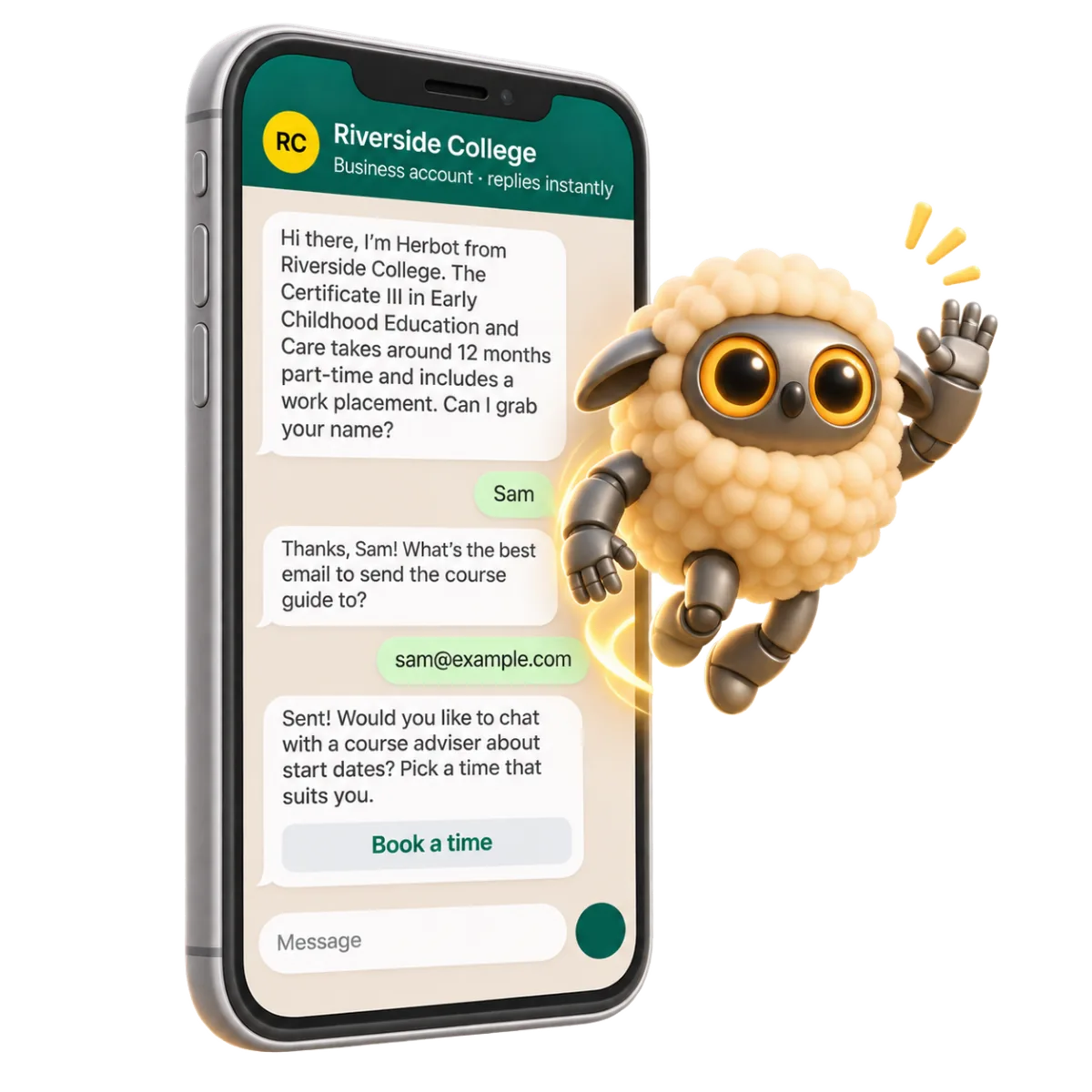
See {{ pkgName }} in detail →Riverside College
Business account · replies instantly
Example conversation for illustration only. Riverside College is a fictional provider.
Behind the scenes
What Herbot's doing in your CRM and calendar while the student chats
- {{ l.text }}
Waiting for the conversation to start…
WhatsApp FAQ
Do I need my own WhatsApp Business account?
Yes. You connect your own WhatsApp Business account in a few guided steps when you sign up.
Who pays for WhatsApp messaging costs?
Channel costs from Meta are your own and aren't included in StudentIgnite pricing.
Can Herbot message students who haven't messaged us first?
Yes, when they've shared their mobile number and agreed to be contacted — for example, through your enquiry form. Herbot opens with an approved template message and the conversation continues from there.
Do I need to get WhatsApp message templates approved?
No. Our outreach templates are already approved. When you link StudentIgnite to your WhatsApp Business account, we resubmit them for your account automatically in the background.
Can I use WhatsApp alongside other channels?
Absolutely. Use WhatsApp on its own or alongside SMS, Messenger and web chat — whatever suits your students.

Ready to turn ad clicks into enrolments?
Book a demo and watch Herbot pick up a WhatsApp ad enquiry, match it to the right course and book a student in with your team.